For macOS users there are several permissions that must be marked in Security & Privacy for DeskTime and all its features work correctly:
- To capture screenshots and track window titles it is necessary to give the app access to Screen Recording:
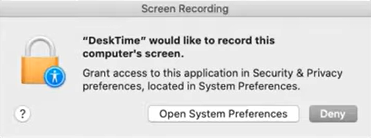
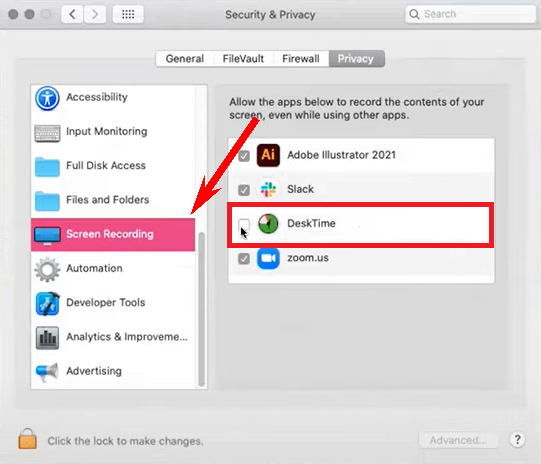
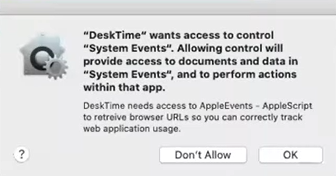
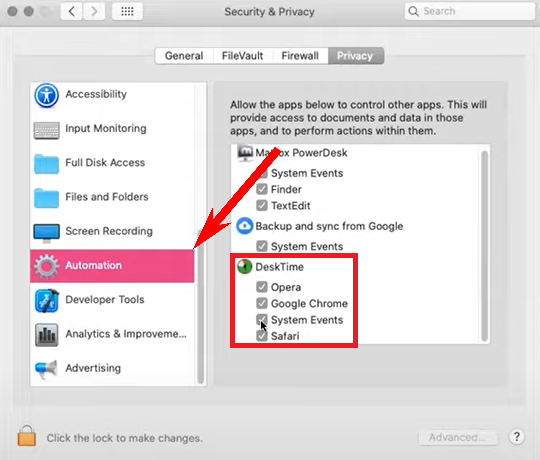
- To track URLs, in Automation you must allow DeskTime to control the different browsers you will be working on:
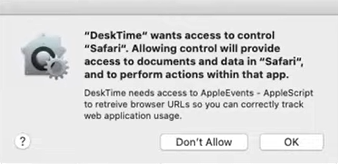
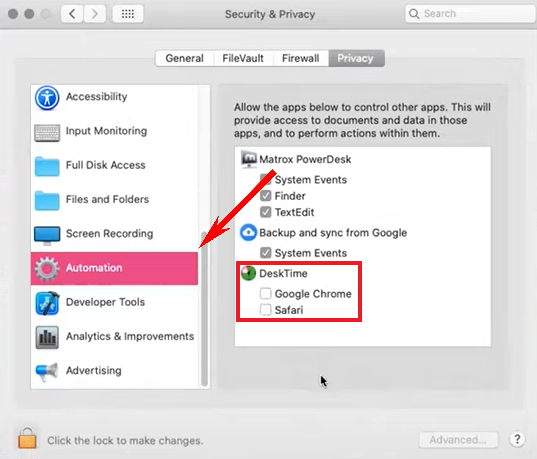
- To start Desktime automatically with macOS it is necessary to mark the System Events → Automation:
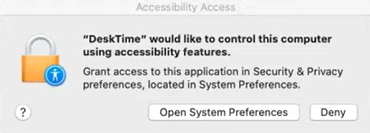
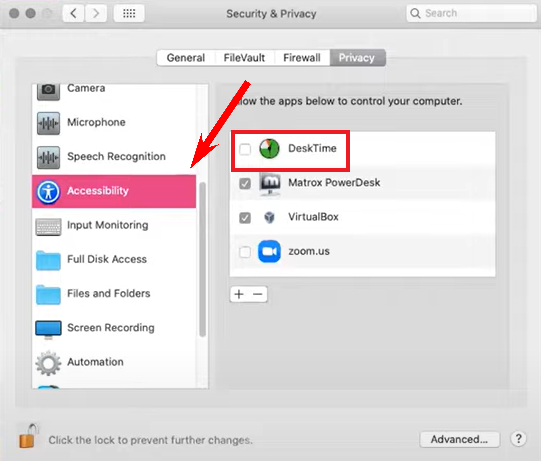
- If you wish to turn off tracking of mouse movements and clicks in your DeskTime Settings, you have to mark the application in Accessibility:

- In order to receive DeskTime desktop notifications make sure that you have marked Allow Notifications in Notifications & Focus:
.png)